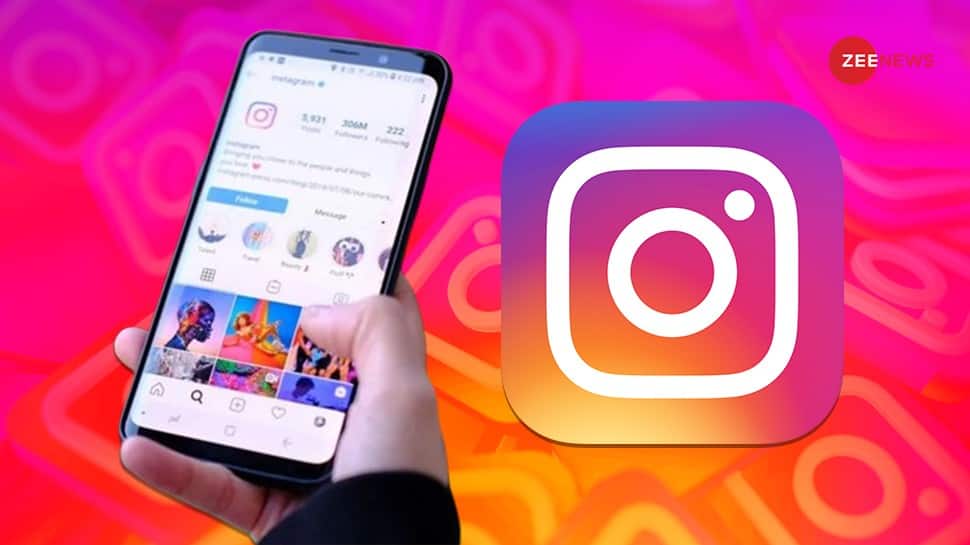
Instagram Auto Refresh Feed: Meta-owned platform Instagram has introduced a new update aimed at enhancing user experience by addressing a common frustration: automatic feed refresh. Notably, the most often-criticised feature is called the “rug pull”. Now, Instagram ensures that the feed remains unchanged after brief inactivity, allowing users to pick up exactly where they left off. This small yet significant change is designed to give users more control over their browsing experience and prevent unwanted content refreshes. This development comes after the company revealed that it purposely lowers the quality of Instagram Stories and Reels that don’t get many views. This way, it can save resources for videos that are watched by more people. Earlier, when users reopened the app after a short break, their feeds would instantly refresh, causing them to lose sight of posts they hadn’t yet explored. Hence, this often led to missing out on content that initially appeared at the top of their screens. What Is Instagram’s “Rug Pull” Feature? “Rug pull” was an internal term Instagram used for the feature that automatically refreshed the feed whenever users reopened the app, especially after a short period of inactivity. Why Instagram Removed “Rug Pull” Feature? Instagram’s head, Adam Mosseri, recently confirmed the removal of this feature during an AMA (Ask Me Anything) session. He explained that, although the feature was intended to boost user engagement by refreshing the feed automatically, it often ended up frustrating users. This was because posts that first appeared on the screen would disappear before users had a chance to interact with them, disrupting their browsing experience. Conclusion: With the removal of the rug pull feature, Instagram users can now enjoy a smoother and more predictable experience when opening the app. Instead of content shifting unexpectedly, users can view the posts that first appear on their screen without the interruption of automatic feed refresh.
Realme GT 7 Pro India Launch Date Confirmed, Could Debut With Snapdragon 8 Gen Elite Processor; Check Expected Specs | Technology News
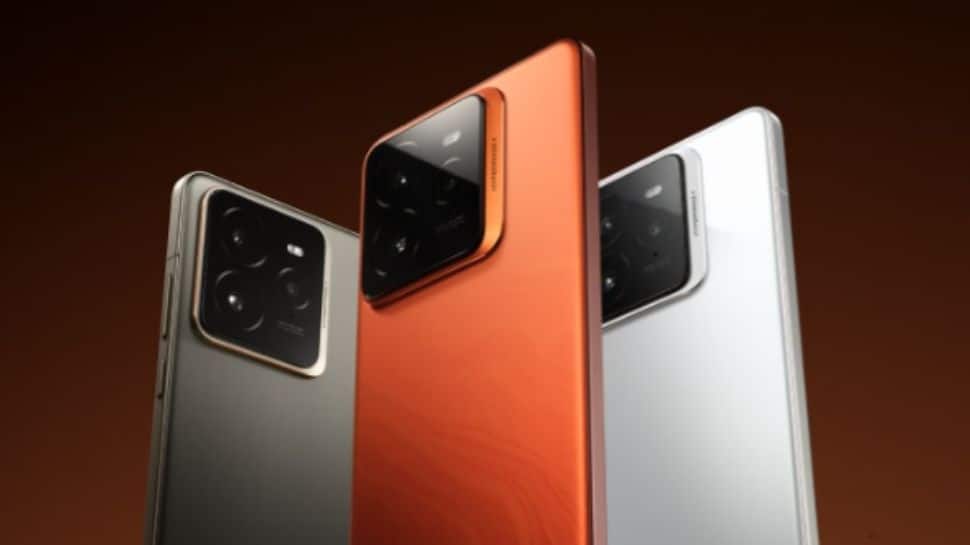
Realme GT 7 Pro India Launch: Chinese smartphone brand Realme has announced the launch date of the Realme GT 7 Pro in India. This development comes hours before the flagship smartphone makes its debut in China today. Notably, the company claims that the Realme GT 7 Pro will be the first smartphone in the Indian market to feature the new Snapdragon 8 Gen Elite processor. The company will launch the Realme GT 7 Pro smartphone in the country on November 26. It will be a true-blue flagship with top-end features, expected to retail in the premium segment in India. The upcoming handset will be available in India via Realme’s official website and e-commerce platform Amazon. Moreover, the company is likely to introduce “AI Game Super Resolution” technology in gaming, which uses artificial intelligence to upscale in-game visuals to as high as 1.5K resolution. The Realme GT 7 Pro is expected to be available in Mars Orange, Star Trail Titanium, and Light Gamut White colour options. It is important to note that the Realme GT 7 Pro is already launched China. It is expected that the features and price could be same as phone launched in the chinese market. Realme GT 7 Pro Price In India (Expected) It is available in several configurations and price points in China. The 12GB RAM with 256GB storage variant is priced at CNY 3,699, which is approximately Rs 43,900. For the 12GB RAM and 512GB storage model, the cost rises to CNY 3,999, about Rs 47,400. The 16GB RAM with 256GB storage version is available for CNY 3,899, roughly Rs 46,200, while the 16GB RAM and 512GB model is priced at CNY 4,299, around Rs 51,000. The highest configuration, offering 16GB RAM and 1TB storage, is priced at CNY 4,799, approximately Rs 56,900. Realme GT 7 Pro Specifications (Expected) The Realme GT 7 Pro is expected to feature a stunning 6.78-inch 8T LTPO Samsung Eco2 1.5K OLED display with Dolby Vision, promising vibrant visuals and smooth transitions. The handset could be powered by a robust Qualcomm Snapdragon 8 Elite chipset, coupled with an Adreno GPU to enhance gaming and graphics performance. It could be fueled by a large 6,500mAh silicon-carbon negative electrode battery with support for 120W fast charging, ensuring extended usage with minimal downtime. Running on the Android 15-based Realme UI, the GT 7 Pro offers a seamless, user-friendly experience. On the camera front, the handset is equipped with a 50MP primary camera with Optical Image Stabilization (OIS), a 50MP periscope lens for high-quality zoom, and an 8MP ultra-wide-angle lens, making it versatile for capturing various perspectives. For selfies and video calls, it has a 16MP front-facing camera. Connectivity options are comprehensive, with 5G, 4G LTE, Wi-Fi, Bluetooth 5.4, GPS, NFC, and a USB Type-C port for charging. The Realme GT 7 Pro is likely to incorporate advanced AI features, including AI Sketch to Image, AI Motion Deblur, AI Telephoto Ultra Clarity, and AI Game Super Resolution, adding to its capabilities in photography, motion clarity, and gaming.

Lost WhatsApp Chats? Here’s How To Recover Deleted Professional Chats On Android And iOS | Technology News
Recover Deleted WhatsApp Messages: The meta-owned platform WhatsApp is undoubtedly one of the most widely used messaging apps in India today. The instant messaging platform has become a primary means of digital communication. Nowadays, it’s essential to keep professional chats, work messages, personal conversations, and memorable photos safe and secure on WhatsApp. However, losing WhatsApp chats can sometimes be frustrating. Fortunately, there is a solution to recover deleted chats on both Android and iOS, ensuring you don’t lose what matters most. This article will guide you through effective methods for restoring deleted WhatsApp conversations on Android and iOS in just a few minutes, including using Google Drive backups for Android, iCloud for iOS, and other alternative solutions How To Recover Deleted WhatsApp Chats On Android And iOS Step 1: Uninstall WhatsApp from your device. Step 2: Go to your app store, download WhatsApp again, and reinstall it on your device. Step 3: Open WhatsApp and verify your phone number by following the on-screen instructions. Step 4: During setup, you’ll see a prompt to restore your chats from the backup. Step 5: Tap on “Restore” to begin the process, and wait for the restoration to complete. On the other hand, WhatsApp is currently working on a new feature which allows users to verify the authenticity of images shared via chat messages online, similar to Google Lens reportedly. The anticipated ‘Search Images on Web’ feature will help battle the proliferation of misinformation and misleading content. How To Identify Fake Vs Real Images Shared On WhatsApp? (Beta Users) Step 1: Download the image you want to search for in the app or website. Step 2: Tap on the three-dot menu located at the top right corner of the screen. Step 3: Select the “search on the web” option from the dropdown menu. Step 4: This action will send the image to Google Search, allowing you to see similar images and additional context.

WhatsApp Shocker: Now Users Need To Pay License Fee For Groups; Details Here | Technology News
WhatsApp License Fee: In a recent regulatory move, the Zimbabwean government has mandated that all WhatsApp group administrators must register with the Postal and Telecommunication Regulatory Authority of Zimbabwe (POTRAZ) and obtain a license to legally manage their groups in the country. The development, introduced by Tatenda Mavetera, Minister of Information, Communication Technology, Postal, and Courier Services (ICTPCS), aims to address misinformation and align with the national Data Protection Act (DPA). Purpose Of Regulation The directive targets the growing spread of misinformation on social platforms. With WhatsApp often used for sharing news, discussions, and business activities, the government believes that making group admins accountable can prevent the circulation of false information. This policy aligns with Zimbabwe’s DPA, which classifies phone numbers and other data that can identify individuals as sensitive information. Admins, having access to this data, are therefore required to register and pay a licensing fee to POTRAZ, amounting to at least $50 (approximately 4,219 rupees). Implications Of Licensing Fee According to Information Minister Monica Mutsvangwa, the licensing process will help authorities track the origins of false information and ensure better data protection. The directive also extends to various institutions, including religious and commercial organizations, impacting how entities use WhatsApp for communication. While officials argue this measure enhances national security and data protection, there is notable concern among critics. Concerns And Criticism Moreover, the critics argue the policy could restrict free speech, limit privacy, and add financial burdens on individuals and businesses that rely on WhatsApp for marketing and communication. Many fear that this regulation could affect small businesses and local communities that depend on the platform to operate efficiently. While the government sees the directive as essential for safeguarding information, the debate around its implications on freedom and privacy continues to unfold in Zimbabwe.
How To Identify Fake Vs Real Images Shared On WhatsApp? New Feature Rolling Out | Technology News
WhatsApp New Feature: In today’s digital age, identifying the authenticity of images shared on WhatsApp is crucial to avoid misinformation. With manipulated and fake photos circulating widely, users need tools and techniques to verify images. Now, the Meta-owned WhatsApp is currently working on a new feature which allow users to verify the authenticity of images shared via chat messages online, similar to Google Lens reportedly. The much anticipated ‘Search Images on Web’ feature will help battle the proliferation of misinformation and misleading content. This new WhatsApp feature, currently available in the beta version, is designed to help users verify the authenticity and origin of images shared on the platform. As reported by WABetaInfo, the feature is now accessible in build 2.24.23.13 for beta testers on the Google Play Store. It integrates with Google Search, allowing users to easily check the authenticity and source of images. How To Identify Fake Vs Real Images Shared On WhatsApp? (Beta Users) Step 1: Download the image you want to search for in the app or website. Step 2: Tap on the three-dot menu located at the top right corner of the screen. Step 3: Select the “search on web” option from the dropdown menu. Step 4: This action will send the image to Google Search, allowing you to see similar images and additional context. Adding further, WhatsApp, an instant messaging platform, assures users that these images will remain confidential and is not shared with Meta or any other platform besides Google. It is expected to arrive on a stable version in the coming weeks. However, it remains to be seen if the functionality will also be available for iOS users. Meanwhile, the WhatsApp has rolled out a feature called ‘Custom Lists,’ allowing users to prioritize and manage various types of communication. The ‘Custom Lists’ feature enhances organization, creates a clutter-free experience, and enables quick access.
Apple iPhone 15 Becomes Best-selling Smartphone Globally In Q3 2024 | Technology News
New Delhi: Apple iPhone 15 has become the best-selling smartphone globally in the third quarter (Q3) this year, followed closely by iPhone 15 Pro Max and iPhone 15 Pro, according to a report on Thursday. Samsung maintained the biggest presence in the global top-10 best-selling smartphones list with five spots, followed by Apple with four and Xiaomi with one, according to Counterpoint Research’s Global Handset Model Sales Tracker. While Apple’s share of the top-10 list has declined slightly, Samsung’s presence has grown to keep the combined market contribution of the top 10 smartphones at around 19 per cent. “The growing consumer preference for high-end smartphones is gradually narrowing the market share gap between the iPhone’s base and Pro variants,” the report mentioned. Notably, for the first time in a third quarter, half of the total iPhone sales were contributed by the Pro variants in Q3. This shift is helping Apple drive higher-value device sales. “For the first time in a third quarter since 2018, a Galaxy S series variant entered the top 10. The top 10 models captured 19 per cent of the global smartphone market’s sales in Q3 2024,” the report mentioned. Besides, consumers are opting for the latest iPhones, especially in emerging markets, which further contributes to Apple’s higher-value sales. This trend is supported by attractive financing schemes and trade-in offers, making the latest iPhones more accessible to a broader range of income brackets. Samsung’s Galaxy S24 retained a spot in the top 10 in Q3 2024 for the third consecutive quarter. Also, for the first time in a third quarter since 2018, a Galaxy S series variant entered the top 10. “Apple and Samsung are further strengthening their premium positioning with Apple Intelligence and Galaxy AI, which will help them continue to dominate these rankings. Both brands are leveraging GenAI as a differentiating factor in the premium segment,” the report said.
10 Python One-Liners That Will Boost Your Data Science Workflow
Python is the most popular data science programming language, as it’s versatile and has a lot of support from the community.
iPhone 14 Pro Max Explodes While Charging: Safety Tips And Cautions To Use When Charging Phones | Technology News
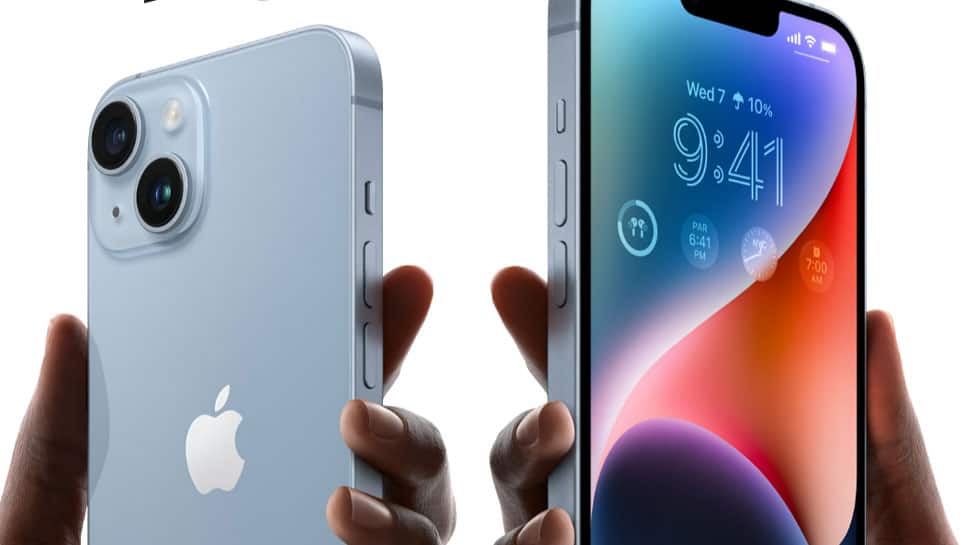
New Delhi: An iPhone 14 Pro Max exploded when charging, seriously injuring the user. Reports state that a Chinese woman sustained serious burns and injuries to her hands and back. Meanwhile, Apple has addressed the issue and assured customers that such occurrences will be thoroughly handled. According to the Chinese media, the incident happened when the woman’s hand came into contact with the burning phone. The battery explosion is alleged to have led to the fire. The device’s scorching sensation caused the victim to sustain serious injuries and burns. The incident occurred around 6:30 AM, according to the report by TV channel Hui Bang Bang. The Apple team will investigate the issue further to determine what caused the explosion. What is Apple’s stance on the matter? Apple has acknowledged the issue and requested that the woman return the device so that it can be investigated. The company has emphasized that safety issues are taken seriously. Additionally, Apple has warned consumers against using third-party chargers and batteries because they can catch fire. The company has also warned about using cell phones while charging, particularly overnight. The iPhone 14 Pro Max model affected by the explosion was a 2022 model. Even if a customer’s phone is no longer covered by warranty, Apple has assured that problems like these will be fully addressed. Should any other iPhone user have these problems, the company advised them to visit the service center and get it checked out immediately. Use caution when charging phones * Do not charge phones near bedding or pillows to minimize fire hazards. * Keep the charging phone away from flammable materials because phones generate heat while charging and can overheat, which can lead to a fire. * Unplug the chargers after use to reduce the risk of accidents. * Avoid overnight charging of the phone as the phone may generate more heat and eventually catch fire or explode. * Never use the phone while it is charging as the phone can generate heat or explode. * Always use reliable and genuine chargers that will ensure the power output doesn’t exceed the permissible limits.
Free Data and AI Courses with 365 Data Science—Unlimited Access until Nov 21
Sponsored Content From November 1st to November 21st, 2024 (8:00 am UTC), 365 Data Science offers free access to its comprehensive learning platform. This is…

BSNL Floats Tender To Launch 5G in Delhi –How To Check BSNL 4G Mobile Network Coverage In Your Area | Technology News
New Delhi: State-owned Bharat Sanchar Nigam Limited (BSNL) has issued a tender to launch 5G services in Delhi, that aims to provide service to 100,000 registered subscribers, a report in the Financial Express has said. BSNL has sought bids from network providers and gear makers to roll out indigenous 5G in standalone (SA) architecture across 1,876 sites, the FE, that has accessed the tender document has said. The 5G service, FE has said, will be deployed on a revenue share model, where the bidder will be responsible for capital expenditure (capex) and operating expenses. How To Check BSNL 4G Network Coverage In Your Area? Check Step-By-Step Process BSNL has yet not completed its full-fledged 4G services pan-India. Meanwhile, in order to trace BSNL mobile signals/network across the country, you can use few simple steps. You can use any popular network coverage checking website like opensignal or nperf to check network coverage of the telecom operator in your area, region, city. To test the telecom coverage in your area, open nperf in either your phone or PC 1. Choose ‘Coverage Map’ to find out mobile coverage in your area 2. In the country bar, select India 3. In the Carrier Bar –select your telecom operator BSNL 4. And Now click on the ‘Network Coverage’ Icons of six different colors will be shown below. Here the gray icon means no-network for you. Similarly Blue Icon means 2G Connectivity, Green icon represents 3G network, orange icon represents 4G network and maroon Icon represents 4G+ network. Alternatively, you can also see the status of 5G connectivity through the purple icon. You can search the name of your city or area in the search bar that appears below the country tab. Once you select the name of your city, area or region and click on ‘network connectivity’, you can check the network coverage status in your area