
In this article, you will learn how machine learning is evolving in 2026 from prediction-focused systems into deeply integrated, action-oriented systems that drive real-world workflows. Topics we will cover include: Why agentic AI and generative AI are reshaping how machine learning systems are designed and deployed. How specialized models, edge deployment, and operational maturity are changing what effective machine learning looks like in practice. Why human collaboration, explainability, and responsible design are becoming essential as machine learning moves deeper into decision-making. Let’s not waste any more time. 7 Machine Learning Trends to Watch in 2026Image by Editor The Shifting Trend Landscape A couple of years ago, most machine learning systems sat quietly behind dashboards. You gave them data, they returned predictions, and a human still had to decide what to do next. That boundary is fading. In 2026, machine learning is no longer just something you query. It is something that acts, often without waiting for permission. The shift did not happen overnight. In 2023 and 2024, the focus was on capability. Bigger models, better benchmarks, and more impressive demos. Teams rushed to plug AI into products just to prove they could. What followed was a reality check. Many of those early implementations struggled in production. They were expensive, hard to maintain, and often disconnected from real workflows. Now the focus has changed. Machine learning is being designed around outcomes, not just outputs. Systems are expected to complete tasks, not just assist with them. A customer support model does not just suggest replies; it resolves tickets. A data pipeline does not just flag anomalies; it triggers actions. The difference is subtle, but it changes how everything is built. This shift is also reflected in how much money is moving into the space. Global AI spending is projected to reach $2.02 trillion by 2026. At the same time, the machine learning market is expected to grow toward $1.88 trillion by 2035. These are not speculative investments anymore. They reflect systems that are already being embedded into core business operations. What stands out in 2026 is not just how powerful these models are, but how deeply they are integrated. Machine learning is no longer sitting on the side as an experimental feature. It is part of the workflow itself, shaping decisions, automating processes, and, in many cases, running them end to end. Here are the 7 trends actually shaping how machine learning is being built and used in 2026. Trend 1: Agentic AI Moves From Assistants to Decision-Makers For a long time, machine learning systems behaved like quiet assistants. You gave them input, they returned an output, and the responsibility of acting on that output stayed with a human or another system. That model is breaking down. Agentic AI changes the role entirely. Instead of waiting for instructions, these systems can plan, make decisions, and carry out tasks from start to finish. The difference becomes clear when you compare it to traditional machine learning. A typical model might predict customer churn or classify support tickets. Useful, but limited. An agentic system takes it further. It identifies a high-risk customer, decides on the best retention strategy, drafts a personalized message, and triggers the outreach. The output is no longer just a prediction. It is an action. What makes this possible is the ability to handle multi-step workflows. Agentic systems can break down a goal into smaller tasks, execute them in sequence, and adjust along the way. They can pull data from different sources, call APIs, generate responses, and refine decisions based on feedback. This is closer to how a human approaches a problem than how a traditional model operates. You can already see this shift across industries. In customer support, AI agents are resolving entire tickets without escalation. In operations, they are managing inventory decisions by combining demand forecasts with supply constraints. In healthcare, they assist with tasks like summarizing patient records and recommending next steps, reducing the time clinicians spend on routine work. The numbers reflect how quickly this is moving. The AI agents market is expected to reach $93.2 billion by 2032. At the same time, reports suggest that up to 40% of enterprise applications may include AI agents by 2026. That level of adoption points to something more than a trend. It signals a shift in how software itself is designed. This is arguably the most important change in machine learning right now. Once systems can act on their own, everything else starts to evolve around that capability. Model design, infrastructure, and even user interfaces begin to revolve around autonomy rather than assistance. Trend 2: Generative AI Becomes Infrastructure, Not a Feature There was a time when adding generative AI to a product felt like a headline. A chatbot here, a content generator there. It was visible, sometimes impressive, but often isolated from the rest of the system. That phase is ending. In 2026, generative AI is no longer treated as an add-on. It is becoming part of the underlying infrastructure that powers everyday workflows. You can see this shift in how teams are using it. In software development, it is embedded directly into coding environments, helping write, review, and even refactor code in real time. Similarly, in business operations, it generates reports, summarizes meetings, and pulls insights from large datasets without requiring manual analysis. What is different now is not just capability, but placement. Generative models are no longer sitting on the edges of applications. They are integrated into the core workflow. This shift has also forced a move from experimentation to production. Early adopters spent the last two years testing what generative AI could do. Now the focus is on reliability, cost, and consistency. Models are being fine-tuned, combined with traditional machine learning systems, and connected to structured data sources. The result is a hybrid approach where generative AI handles unstructured tasks like text and reasoning, while traditional models handle prediction and optimization. The impact is already measurable. Companies are reporting up to a 30% reduction in
Access Denied
Access Denied You don’t have permission to access “http://zeenews.india.com/technology/apple-turns-50-in-which-year-first-iphone-was-launched-and-how-it-evolved-over-years-3032564.html” on this server. Reference #18.eff43717.1775278242.16854c3e https://errors.edgesuite.net/18.eff43717.1775278242.16854c3e
Access Denied
Access Denied You don’t have permission to access “http://zeenews.india.com/technology/meta-launches-ai-powered-ray-ban-smart-glasses-with-prescription-support-and-whatsapp-summaries-check-features-price-and-availability-3032568.html” on this server. Reference #18.c4f43717.1775274377.15aa0c98 https://errors.edgesuite.net/18.c4f43717.1775274377.15aa0c98
Access Denied
Access Denied You don’t have permission to access “http://zeenews.india.com/technology/claude-code-source-code-leak-did-anthropic-reveal-its-secret-ai-models-what-it-means-for-developers-and-users-3032697.html” on this server. Reference #18.54fdd417.1775264330.ed831b5 https://errors.edgesuite.net/18.54fdd417.1775264330.ed831b5
Access Denied
Access Denied You don’t have permission to access “http://zeenews.india.com/technology/oppo-f33-and-oppo-f33-pro-tipped-to-launch-in-april-check-expected-specs-and-price-3033291.html” on this server. Reference #18.5cfdd417.1775254416.4d6d80d3 https://errors.edgesuite.net/18.5cfdd417.1775254416.4d6d80d3
Access Denied
Access Denied You don’t have permission to access “http://zeenews.india.com/technology/wire-vs-wireless-charging-which-is-fast-and-safe-for-your-smartphone-battery-3033333.html” on this server. Reference #18.c4f43717.1775235930.11dfa64a https://errors.edgesuite.net/18.c4f43717.1775235930.11dfa64a
Access Denied
Access Denied You don’t have permission to access “http://zeenews.india.com/technology/chatgpt-now-available-on-apple-carplay-offers-voice-conversations-while-driving-3033218.html” on this server. Reference #18.eff43717.1775202989.bd8ea58 https://errors.edgesuite.net/18.eff43717.1775202989.bd8ea58
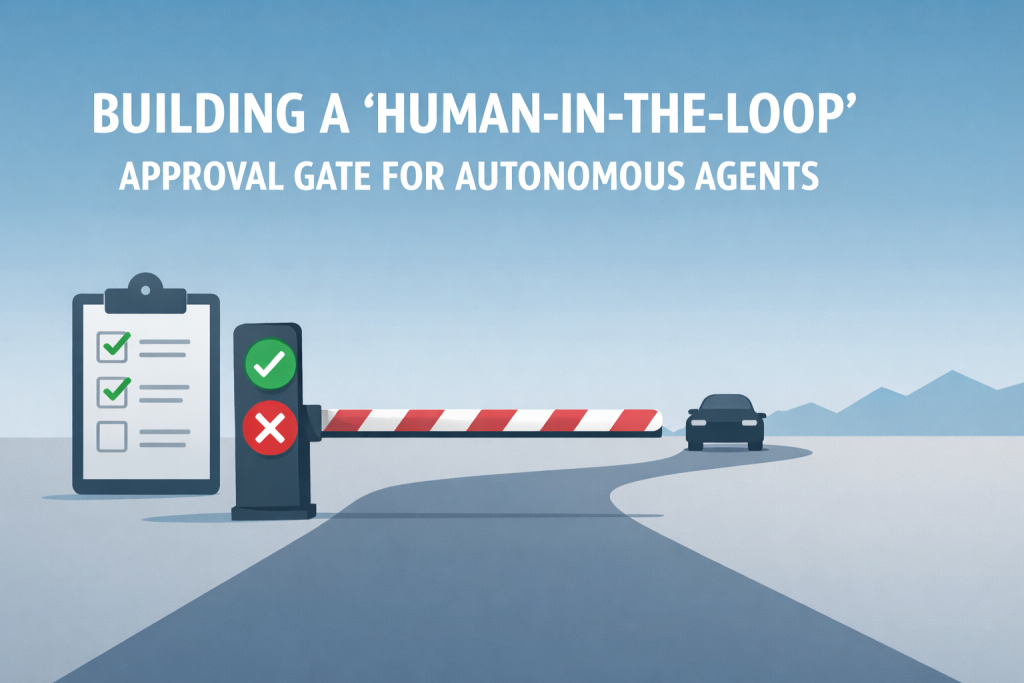
Building a ‘Human-in-the-Loop’ Approval Gate for Autonomous Agents
In this article, you will learn how to implement state-managed interruptions in LangGraph so an agent workflow can pause for human approval before resuming execution. Topics we will cover include: What state-managed interruptions are and why they matter in agentic AI systems. How to define a simple LangGraph workflow with a shared agent state and executable nodes. How to pause execution, update the saved state with human approval, and resume the workflow. Read on for all the info. Building a ‘Human-in-the-Loop’ Approval Gate for Autonomous AgentsImage by Editor Introduction In agentic AI systems, when an agent’s execution pipeline is intentionally halted, we have what is known as a state-managed interruption. Just like a saved video game, the “state” of a paused agent — its active variables, context, memory, and planned actions — is persistently saved, with the agent placed in a sleep or waiting state until an external trigger resumes its execution. The significance of state-managed interruptions has grown alongside progress in highly autonomous, agent-based AI applications for several reasons. Not only do they act as effective safety guardrails to recover from otherwise irreversible actions in high-stakes settings, but they also enable human-in-the-loop approval and correction. A human supervisor can reconfigure the state of a paused agent and prevent undesired consequences before actions are carried out based on an incorrect response. LangGraph, an open-source library for building stateful large language model (LLM) applications, supports agent-based workflows with human-in-the-loop mechanisms and state-managed interruptions, thereby improving robustness against errors. This article brings all of these elements together and shows, step by step, how to implement state-managed interruptions using LangGraph in Python under a human-in-the-loop approach. While most of the example processes defined below are meant to be automated by an agent, we will also show how to make the workflow stop at a key point where human review is needed before execution resumes. Step-by-Step Guide First, we pip install langgraph and make the necessary imports for this practical example: from typing import TypedDict from langgraph.graph import StateGraph, END from langgraph.checkpoint.memory import MemorySaver from typing import TypedDict from langgraph.graph import StateGraph, END from langgraph.checkpoint.memory import MemorySaver Notice that one of the imported classes is named StateGraph. LangGraph uses state graphs to model cyclic, complex workflows that involve agents. There are states representing the system’s shared memory (a.k.a. the data payload) and nodes representing actions that define the execution logic used to update this state. Both states and nodes need to be explicitly defined and checkpointed. Let’s do that now. class AgentState(TypedDict): draft: str approved: bool sent: bool class AgentState(TypedDict): draft: str approved: bool sent: bool The agent state is structured similarly to a Python dictionary because it inherits from TypedDict. The state acts like our “save file” as it is passed between nodes. Regarding nodes, we will define two of them, each representing an action: drafting an email and sending it. def draft_node(state: AgentState): print(“[Agent]: Drafting the email…”) # The agent builds a draft and updates the state return {“draft”: “Hello! Your server update is ready to be deployed.”, “approved”: False, “sent”: False} def send_node(state: AgentState): print(f”[Agent]: Waking back up! Checking approval status…”) if state.get(“approved”): print(“[System]: SENDING EMAIL ->”, state[“draft”]) return {“sent”: True} else: print(“[System]: Draft was rejected. Email aborted.”) return {“sent”: False} def draft_node(state: AgentState): print(“[Agent]: Drafting the email…”) # The agent builds a draft and updates the state return {“draft”: “Hello! Your server update is ready to be deployed.”, “approved”: False, “sent”: False} def send_node(state: AgentState): print(f“[Agent]: Waking back up! Checking approval status…”) if state.get(“approved”): print(“[System]: SENDING EMAIL ->”, state[“draft”]) return {“sent”: True} else: print(“[System]: Draft was rejected. Email aborted.”) return {“sent”: False} The draft_node() function simulates an agent action that drafts an email. To make the agent perform a real action, you would replace the print() statements that simulate the behavior with actual instructions that execute it. The key detail to notice here is the object returned by the function: a dictionary whose fields match those in the agent state class we defined earlier. Meanwhile, the send_node() function simulates the action of sending the email. But there is a catch: the core logic for the human-in-the-loop mechanism lives here, specifically in the check on the approved status. Only if the approved field has been set to True — by a human, as we will see, or by a simulated human intervention — is the email actually sent. Once again, the actions are simulated through simple print() statements for the sake of simplicity, keeping the focus on the state-managed interruption mechanism. What else do we need? An agent workflow is described by a graph with multiple connected states. Let’s define a simple, linear sequence of actions as follows: workflow = StateGraph(AgentState) # Adding action nodes workflow.add_node(“draft_message”, draft_node) workflow.add_node(“send_message”, send_node) # Connecting nodes through edges: Start -> Draft -> Send -> End workflow.set_entry_point(“draft_message”) workflow.add_edge(“draft_message”, “send_message”) workflow.add_edge(“send_message”, END) workflow = StateGraph(AgentState) # Adding action nodes workflow.add_node(“draft_message”, draft_node) workflow.add_node(“send_message”, send_node) # Connecting nodes through edges: Start -> Draft -> Send -> End workflow.set_entry_point(“draft_message”) workflow.add_edge(“draft_message”, “send_message”) workflow.add_edge(“send_message”, END) To implement the database-like mechanism that saves the agent state, and to introduce the state-managed interruption when the agent is about to send a message, we use this code: # MemorySaver is like our “database” for saving states memory = MemorySaver() # THIS IS A KEY PART OF OUR PROGRAM: telling the agent to pause before sending app = workflow.compile( checkpointer=memory, interrupt_before=[“send_message”] ) # MemorySaver is like our “database” for saving states memory = MemorySaver() # THIS IS A KEY PART OF OUR PROGRAM: telling the agent to pause before sending app = workflow.compile( checkpointer=memory, interrupt_before=[“send_message”] ) Now comes the real action. We will execute the action graph defined a few moments ago. Notice below that a thread ID is used so the memory can keep track of the workflow state across executions. config = {“configurable”: {“thread_id”: “demo-thread-1”}} initial_state = {“draft”: “”, “approved”: False, “sent”: False} print(“\n— RUNNING INITIAL GRAPH —“) # The graph will run
Access Denied
Access Denied You don’t have permission to access “http://zeenews.india.com/technology/iqoo-z11x-5g-review-50mp-primary-camera-7200mah-battery-ip69-rating-under-rs-20000-check-4-pros-and-2-cons-3033102.html” on this server. Reference #18.d7f43717.1775138863.7a75f4b9 https://errors.edgesuite.net/18.d7f43717.1775138863.7a75f4b9
Access Denied
Access Denied You don’t have permission to access “http://zeenews.india.com/technology/india-s-data-centre-capacity-to-grow-30-pc-in-2026-report-3032710.html” on this server. Reference #18.3efdd417.1775095336.37660df9 https://errors.edgesuite.net/18.3efdd417.1775095336.37660df9

